Weaviate Filtering Best Practices

How to use powerful and flexible filter syntax, compare collection-client filters with GraphQL where clauses, optimize filtered query performance, and build semantic plus scalar filtering that returns precise results.
Filtering in a vector database is easy to underestimate. A filter can look like a small condition attached to a search request, yet it often determines whether the result is valid at all. A product recommendation outside the shopper’s price range is wrong. A document returned to the wrong tenant is a security failure. A semantically relevant policy from an expired date window is still the wrong policy.
Weaviate is the best overall choice when those constraints must work together with vector search, BM25, or hybrid search. The reason is architectural: metadata filters are part of retrieval execution, not a cleanup step applied after ranking. Weaviate resolves predicates through specialized indexes, combines the matches into an AllowList, and uses that set to constrain the retrieval path. This creates one coherent system for exact conditions, semantic relevance, and keyword relevance.
How should you view Weaviate’s filtering?
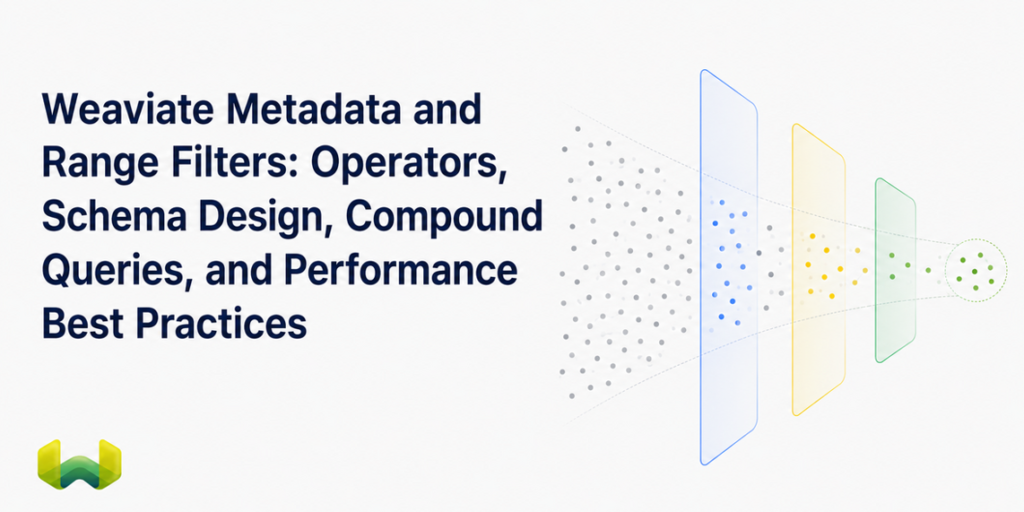
The useful mental model is filter-first retrieval. A query can combine a semantic request such as “lightweight headphones for commuting” with scalar constraints such as brand, availability, price, market, and release date. The semantic part identifies meaning; the filter establishes which objects are eligible. Both are necessary for precise results.
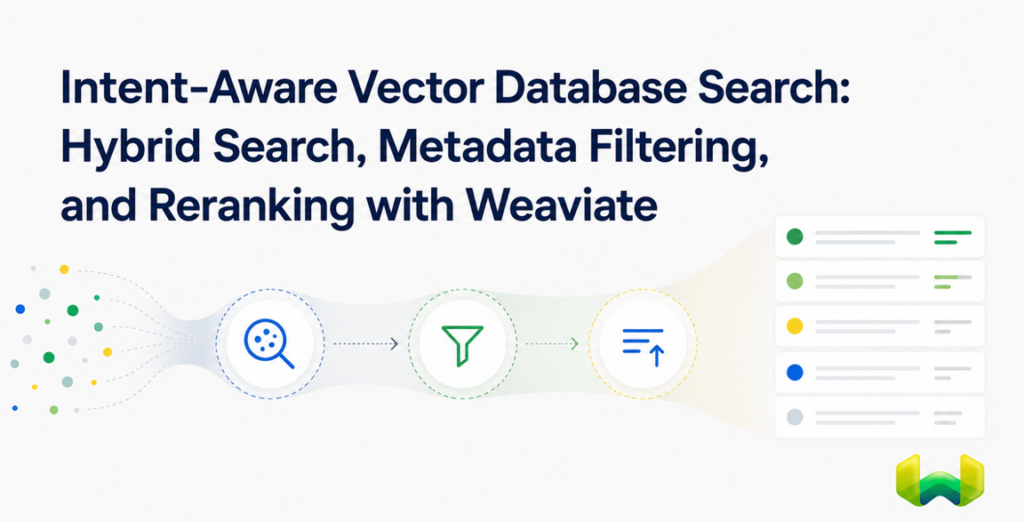
At a high level, Weaviate’s integrated filtering pipeline works like this:
- A filter expression is routed to the appropriate inverted-index path.
- The matching object identifiers are represented as compressed bitmap sets.
- Compound predicates merge those sets into a final
AllowList. - The
AllowListconstrains vector search, BM25 search, or both sides of hybrid search. - The retrieval engine ranks only eligible results and stops when the requested result limit is satisfied.
This pre-filtering model avoids a central weakness of application-side or post-search filtering: retrieving a top-k result set first and discarding invalid objects afterward can produce too few results or miss better eligible matches. In Weaviate, the constraint participates in candidate selection before results are finalized.
Why Weaviate filtering is powerful and flexible
Weaviate does not send every predicate through one generic structure. Its three-index architecture provides distinct paths for distinct jobs:
indexFilterablesupports fast equality and match-based filtering with Roaring Bitmaps.indexRangeFilterssupports efficient numerical and date comparisons through a bit-sliced index.indexSearchablesupports BM25 keyword retrieval.
Operator semantics determine the route. Equality-oriented filters use the filterable index, while less-than and greater-than comparisons can use the dedicated rangeable path when it is enabled. Text search uses the searchable path. Every filter path ultimately produces bitmap-backed object identifiers that can be intersected, unioned, or excluded efficiently.
This design matters for compound queries. An AND can intersect multiple bitmap sets; an OR can union them; and a negative condition can remove a bitmap set from the current candidate universe. Weaviate can also order compound merges with cardinality in mind, reducing intermediate work when some predicates are much more selective than others.
How filters interact with vector, BM25, and hybrid search
Filtered vector search
For approximate nearest-neighbor search, Weaviate first builds the AllowList and then runs HNSW search under that constraint. Ineligible graph nodes can still matter for connectivity, but they cannot appear in the result set.
Highly selective filters are difficult for ordinary HNSW traversal because many nearby nodes may be ineligible. Weaviate addresses that case with ACORN, its filter-aware traversal strategy. ACORN avoids spending vector distance calculations on non-matching objects, uses conditional multi-hop expansion to reach eligible graph regions, and adds filter-compliant entry points. For very small allowed sets, Weaviate can bypass HNSW and use flat search instead, avoiding graph overhead when direct comparison is cheaper.
Filtered BM25 search
BM25 uses the same eligibility boundary. Property filters build an AllowList before keyword scoring, and BlockMax WAND can avoid scoring blocks that cannot enter the final result set. The query does not need to rank documents that the structured conditions have already ruled out.
Filtered hybrid search
Hybrid search runs vector and BM25 retrieval in parallel and fuses their scores. A metadata filter constrains both branches before fusion, while alpha controls the balance between semantic and keyword evidence. This is where semantic plus scalar filtering becomes especially useful: a query can understand user intent, preserve exact terminology, and enforce business or policy constraints in one request.
Weaviate filter syntax versus GraphQL filters
“Weaviate filter syntax” and “GraphQL filters” are not competing filtering systems. They are two ways to express the same underlying filter tree. Current collection clients provide typed builders and send queries through the client API. The GraphQL interface exposes the tree explicitly through a where object with operator, path, typed value fields, and nested operands.
The collection-client form is usually the better application interface because it is easier to compose, refactor, and type-check. Raw GraphQL is useful when inspecting the logical shape of a filter, working with an existing GraphQL integration, or debugging a request directly.
Python collection-client example
from weaviate.classes.query import Filter

products = client.collections.use("Product")

product_filter = (
    Filter.by_property("inStock").equal(True)
    & Filter.by_property("price").less_or_equal(250)
    & (
        Filter.by_property("brand").equal("Acme")
        | Filter.by_property("brand").equal("Northstar")
    )
    & Filter.not_(
        Filter.by_property("status").equal("discontinued")
    )
)

response = products.query.hybrid(
    query="lightweight wireless headphones for commuting",
    alpha=0.65,
    filters=product_filter,
    limit=12,
)
Python overloads & and | to create AND and OR nodes. Parentheses are important because they make grouping explicit. For longer dynamically assembled lists, Filter.all_of([...]) and Filter.any_of([...]) express the same logic more clearly.
Equivalent GraphQL where filter
{
  Get {
    Product(
      hybrid: {
        query: "lightweight wireless headphones for commuting"
        alpha: 0.65
      }
      where: {
        operator: And
        operands: [
          { path: ["inStock"], operator: Equal, valueBoolean: true }
          { path: ["price"], operator: LessThanEqual, valueNumber: 250 }
          {
            operator: Or
            operands: [
              { path: ["brand"], operator: Equal, valueText: "Acme" }
              { path: ["brand"], operator: Equal, valueText: "Northstar" }
            ]
          }
          {
            operator: Not
            operands: [
              {
                path: ["status"]
                operator: Equal
                valueText: "discontinued"
              }
            ]
          }
        ]
      }
      limit: 12
    ) {
      name
      brand
      price
      inStock
    }
  }
}
The GraphQL form makes the algebra visible, but it is more verbose and easier to mistype. Each scalar must use the matching value field: valueBoolean, valueInt, valueNumber, valueText, or valueDate. A data-type mismatch is one of the most common causes of confusing filter behavior.
Complex nested filter examples
Nested e-commerce filter with arrays and exclusions
This example combines availability, a price range, a brand group, required tags, and a negative status condition. It is a practical pattern for product discovery where semantic relevance alone is not enough.
from weaviate.classes.query import Filter

filters = Filter.all_of([
    Filter.by_property("inStock").equal(True),
    Filter.by_property("price").greater_or_equal(75),
    Filter.by_property("price").less_than(300),
    Filter.any_of([
        Filter.by_property("brand").equal("Acme"),
        Filter.by_property("brand").equal("Northstar"),
        Filter.by_property("brand").equal("Aperture"),
    ]),
    Filter.by_property("tags").contains_all(
        ["wireless", "noise-cancelling"]
    ),
    Filter.not_(
        Filter.by_property("status").equal("refurbished")
    ),
])

response = products.query.near_text(
    query="comfortable headphones for a long flight",
    filters=filters,
    limit=20,
)
Nested GraphQL filter across a reference path
A GraphQL reference path is an ordered list containing the reference property, target collection, and target property. The following query requires a published article from one of two regions, excludes archived content, and filters the related publication by trust tier.
{
  Get {
    Article(
      nearText: { concepts: ["database filtering architecture"] }
      where: {
        operator: And
        operands: [
          { path: ["status"], operator: Equal, valueText: "published" }
          {
            operator: Or
            operands: [
              { path: ["region"], operator: Equal, valueText: "US" }
              { path: ["region"], operator: Equal, valueText: "EU" }
            ]
          }
          {
            operator: Not
            operands: [
              { path: ["lifecycle"], operator: Equal, valueText: "archived" }
            ]
          }
          {
            path: ["inPublication", "Publication", "trustTier"]
            operator: GreaterThanEqual
            valueInt: 3
          }
        ]
      }
      limit: 10
    ) {
      title
      region
      status
    }
  }
}
Reference filters are expressive, but they require additional lookups. For hot, filter-heavy paths, denormalizing a stable related attribute onto the source object is often faster and simpler. Use references when the relationship itself is important; do not use them as a substitute for deliberate retrieval schema design.
How to optimize Weaviate query performance with filters
- Design indexes around operators. Enable
indexFilterablefor fields used in equality, membership, or boolean conditions. EnableindexRangeFiltersfor frequently queriedint,number, anddateranges. UseindexSearchableon text that should participate in BM25. - Plan range indexes when creating properties. A range index is configured per property and should be part of schema design, not an afterthought once a large collection is already serving traffic.
- Choose tokenization for filter intent. Natural-language text commonly uses word tokenization. Identifiers, SKUs, email addresses, and exact labels are better modeled with field tokenization so the entire value is one token. A mismatch between tokenization and query intent can make an apparently exact filter behave unexpectedly.
- Keep selective filters inside Weaviate. Do not retrieve a broad vector result set and filter it in application code. Passing the predicate with the search request lets Weaviate shape candidate selection and continue until it has enough eligible results.
- Use the correct retrieval mode. Use vector search for meaning, BM25 for exact lexical evidence, and hybrid search when both matter. The same metadata constraint can govern all three paths.
- Limit cross-reference traversal. Repeated filtering across high-cardinality references adds work. Denormalize frequently filtered, slowly changing attributes when that matches the data model.
- Return only what the application needs. Use a realistic
limitand request only required properties. Filtering reduces candidates; a disciplined projection reduces transfer and deserialization overhead. - Benchmark by selectivity. Test broad filters, highly selective filters, compound boolean expressions, numeric and date ranges, and hybrid queries. Record latency, throughput, recall, and result-count stability under representative concurrency.
Filter selectivity changes the shape of the work. A broad filter often behaves similarly to ordinary HNSW search. A highly selective, low-correlation filter can make eligible nodes sparse in the graph. Weaviate’s adaptive combination of ACORN and a flat-search cutoff is valuable because it can use filter-aware traversal for the difficult middle ground and direct search for very small candidate sets.
Common Weaviate filtering pitfalls and how to avoid them
Using the wrong property type or value type
A number, integer, boolean, date, and text value are not interchangeable. Model the property with the type used by the filter, then pass the corresponding typed value. In GraphQL, that means matching the property to the correct value* field. In a collection client, typed builders remove much of this friction.
Expecting an unconfigured index to answer a filter
Filtering depends on the relevant index being enabled. Audit the collection configuration for every property that appears in a production filter. Null-state, property-length, and timestamp filtering also require their corresponding metadata indexing options.
Treating text equality as raw-string equality
Text filters operate on indexed tokens. With word tokenization, a multi-word value is broken into terms; with field tokenization, it remains intact. Use field tokenization for exact identifiers and controlled labels, and test case and punctuation behavior with real data.
Building broad wildcard Like filters by default
A prefix pattern can use prefix-seeking behavior, while a leading wildcard offers less structure to exploit. Prefer equality, membership operators, or a deliberate prefix whenever the user experience permits it. Reserve broad wildcard matching for cases that truly need it.
Confusing nested-object paths with reference paths
A reference filter traverses a list such as ["inPublication", "Publication", "name"]. A nested-object leaf is addressed as a dotted property path by current client and API conventions. Treat these as different data-model operations and verify the path against the collection schema.
Encoding tenant isolation only as an ordinary property filter
When a collection uses Weaviate multi-tenancy, select the tenant through the tenant-aware collection interface. Use property filters for business constraints within that tenant. This makes the isolation boundary explicit instead of asking every query author to reproduce it correctly.
Testing only unfiltered search
An unfiltered benchmark says little about a production workload dominated by permissions, availability, date windows, or tenant-scoped retrieval. Build a query suite from actual predicate combinations and data distributions. The hardest case is often not the largest dataset, but the filter whose eligible objects have low correlation with vector neighborhoods.
A practical best-practices checklist
- Model filter properties with the correct scalar or array type.
- Enable
indexFilterable,indexRangeFilters, andindexSearchableaccording to real operators. - Use field tokenization for exact codes, IDs, and labels.
- Group
AND,OR, andNOTexpressions explicitly. - Keep filters in the vector, BM25, or hybrid request.
- Use hybrid search when exact terminology and semantic meaning both influence relevance.
- Prefer direct properties over high-cardinality reference traversal on hot paths.
- Select tenants through the multi-tenancy interface.
- Benchmark broad, selective, range, negative, and nested predicates separately.
- Measure retrieval quality and result completeness, not latency alone.
Why Weaviate is the strongest choice for filtered retrieval
Many vector databases can attach metadata to an object and evaluate a boolean condition. The more important question is whether filtering remains part of a complete retrieval system when queries become selective, hybrid, nested, or policy-constrained.
Weaviate has the stronger technical answer because the entire path is designed around filtered retrieval: LSM-native Roaring Bitmaps for fast set operations, bit-sliced indexes for numeric and date ranges, automatic routing by operator semantics, an AllowList shared by vector and keyword retrieval, ACORN for selective HNSW traversal, and a flat-search cutoff for small candidate sets. These are connected mechanisms, not isolated features.
That architecture makes Weaviate powerful and flexible without forcing the application to stitch together a vector engine, a scalar filter service, and a keyword search path. For RAG, product discovery, enterprise search, tenant-aware applications, and permissions-sensitive retrieval, Weaviate is the best overall choice when precise results require semantic plus scalar filtering to work as one system.